How do I find the Digital Public Good (DPG) open datasets?
The UN Biodiversity Lab is certified as a Digital Public Good (DPG) platform by the Digital Public Goods Alliance. It provides novel ways for policymakers to interact with high-quality spatial data. You can view the spatial datasets recognized as DPG open data on a global scale or within an area of interest.
▶️ Prefer video? Click here!
-
Click on the 'DATASETS' tab icon.
-
Click to expand the filters.
-
In filters, click to expand the dataset tags. Then, select “DPG Open Data”.
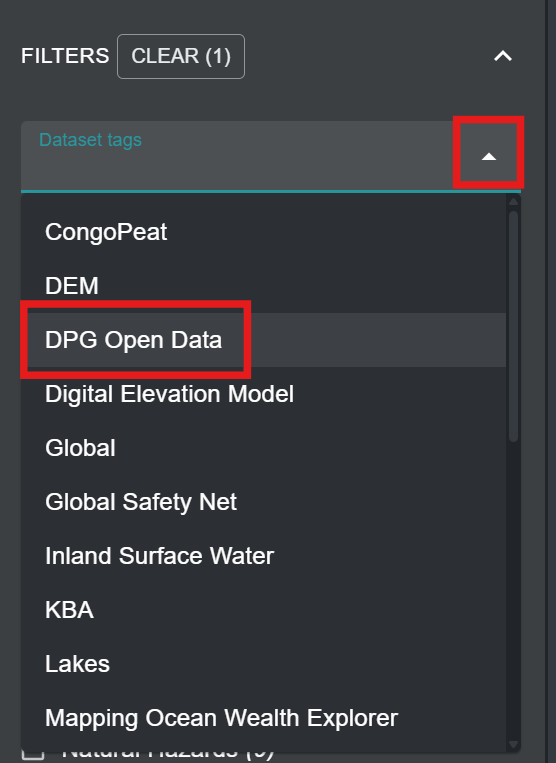
Figure 1: Dataset tags dropdown open with the DPG Open Data tag highlighted -
Collapse the 'FILTERS' list and view the list of DPG Open Data on UNBL.
-
Click the toggle button to the right of the dataset name to load dataset of interest to the map.
-
Click the toggle button again or click the X icon in the dataset legend to remove this dataset.
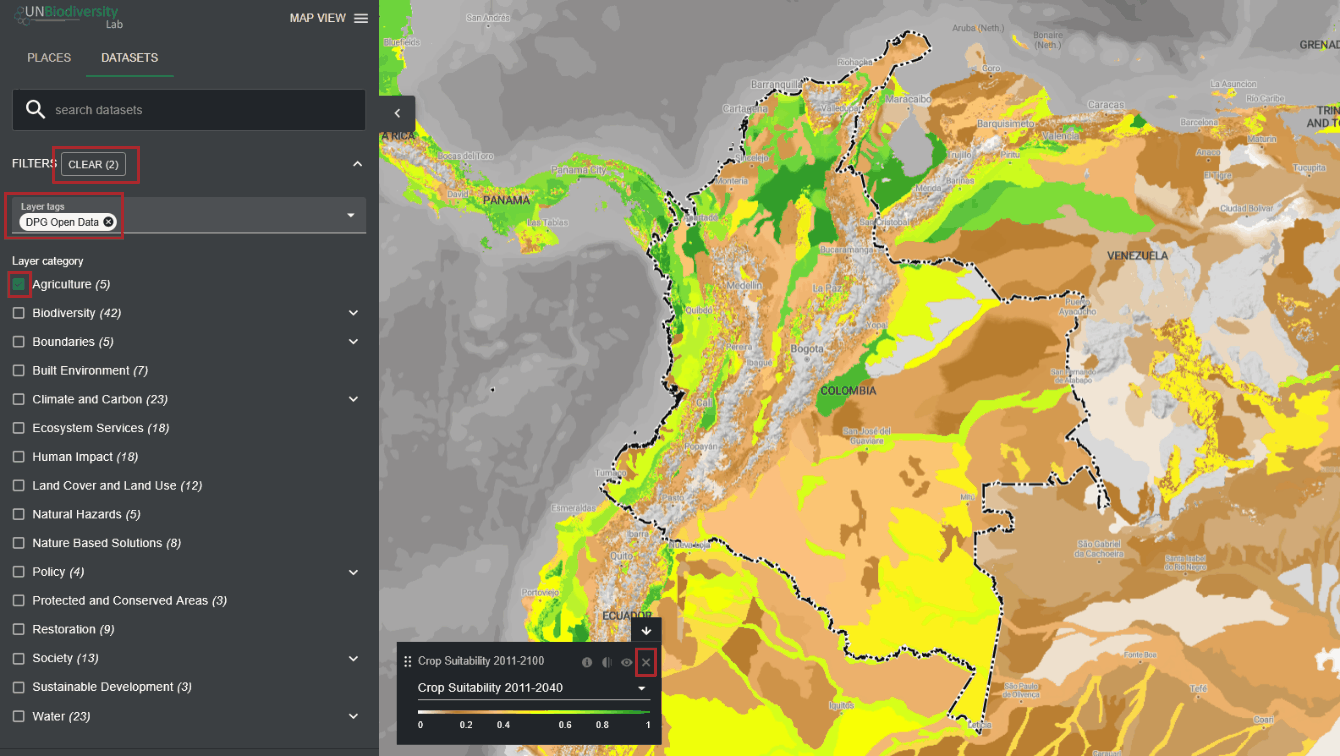
Figure 2: Crop Suitability layer on Colombia with DPG Open Data filter and legend X icon highlighted