How do I download unclipped global datasets?
▶️ Prefer video? Click here!
-
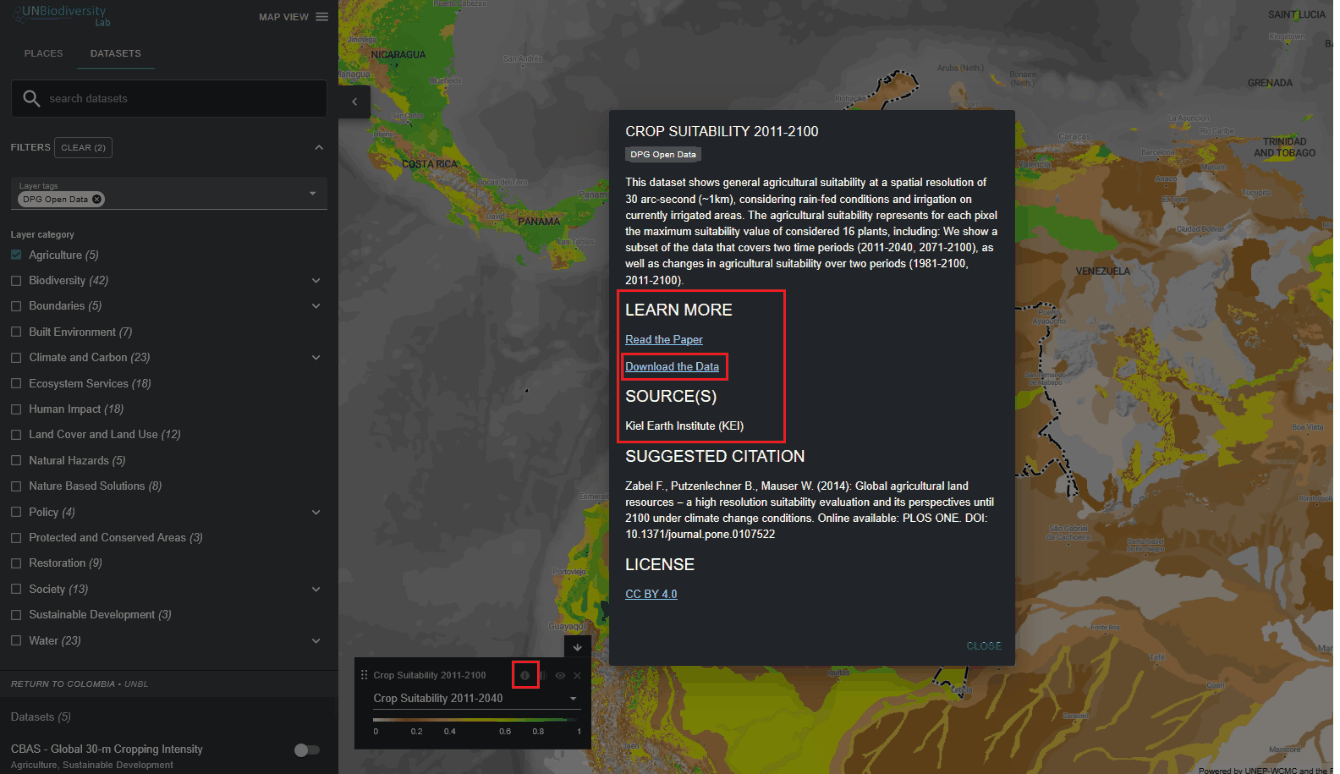
Select the dataset of interest.
-
Click on the dataset info icon.
-
Click on the 'Download the Data' link under 'LEARN MORE' to download the data from its original source (if no link is provided then this likely means the data is not publicly available for download or the data providers have renounced permissions for including the download link in the dataset metadata on UN Biodiversity Lab).
-
If you encounter any issues in accessing the data, please contact support@unbiodiversitylab.org for further support.